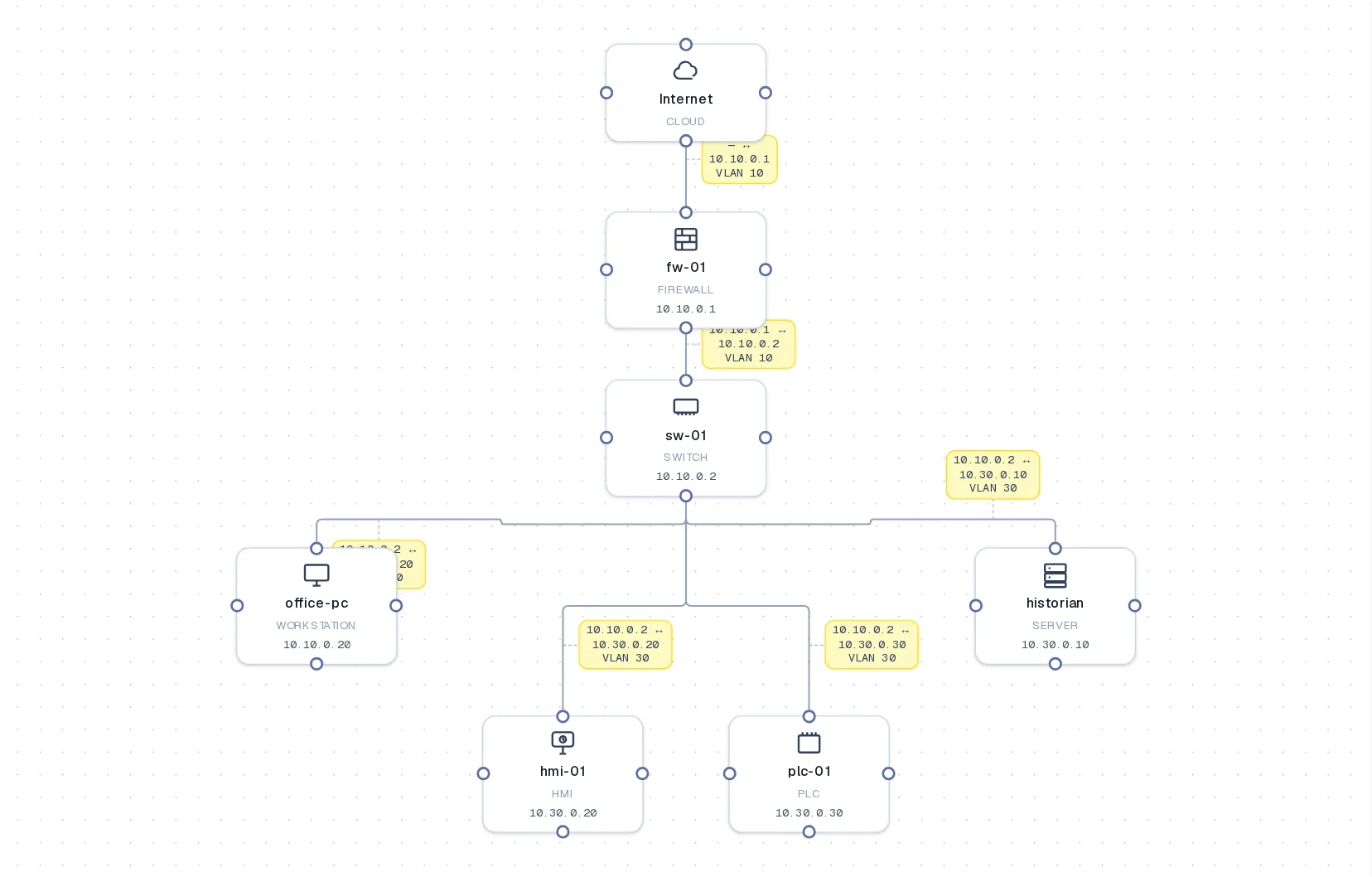
One network diagram. Four synchronized views.

Draw the network once as data. See it as physical, network, data and Purdue views, lint it like code, and keep it current with a diff instead of a redraw.

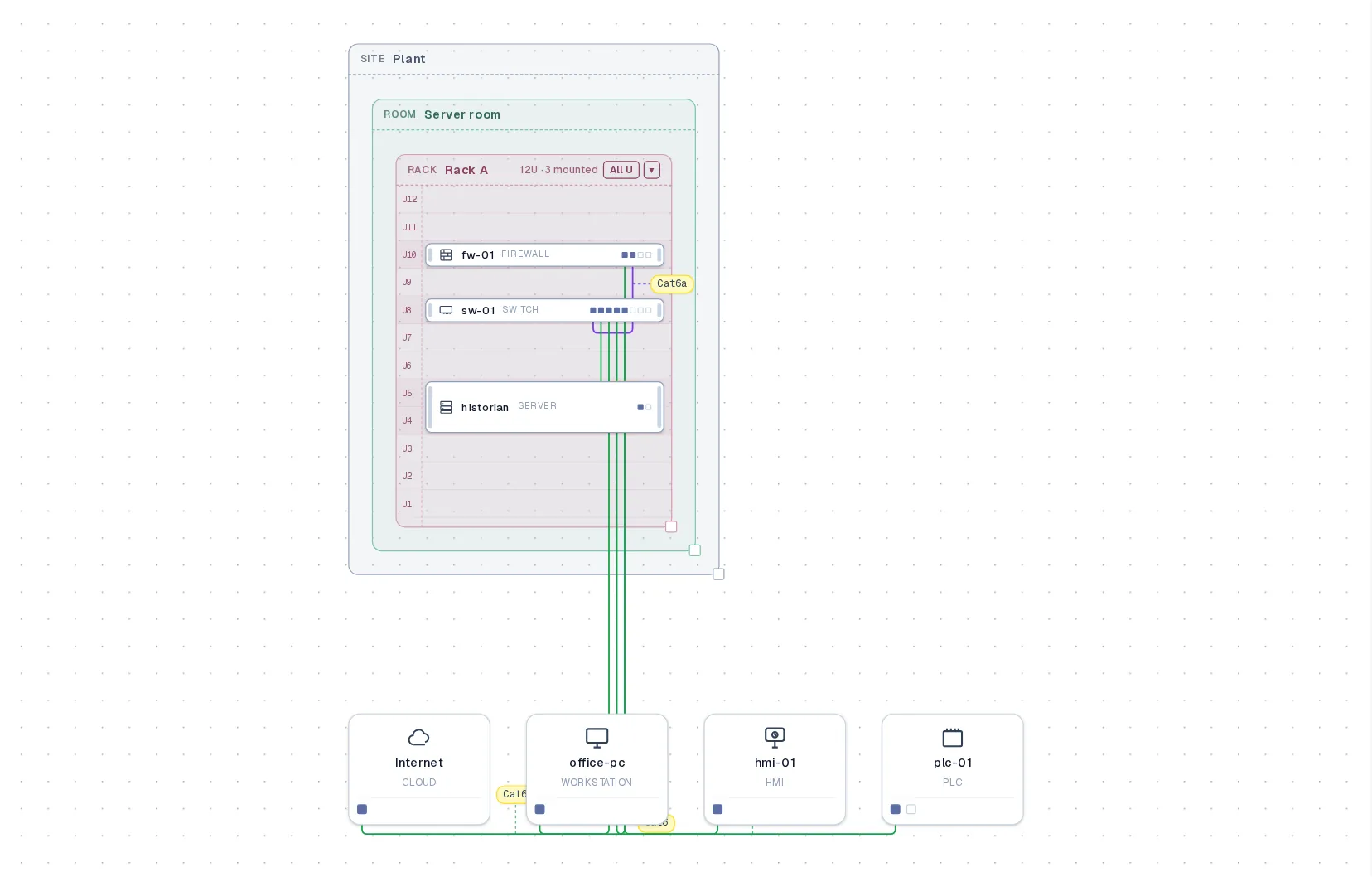
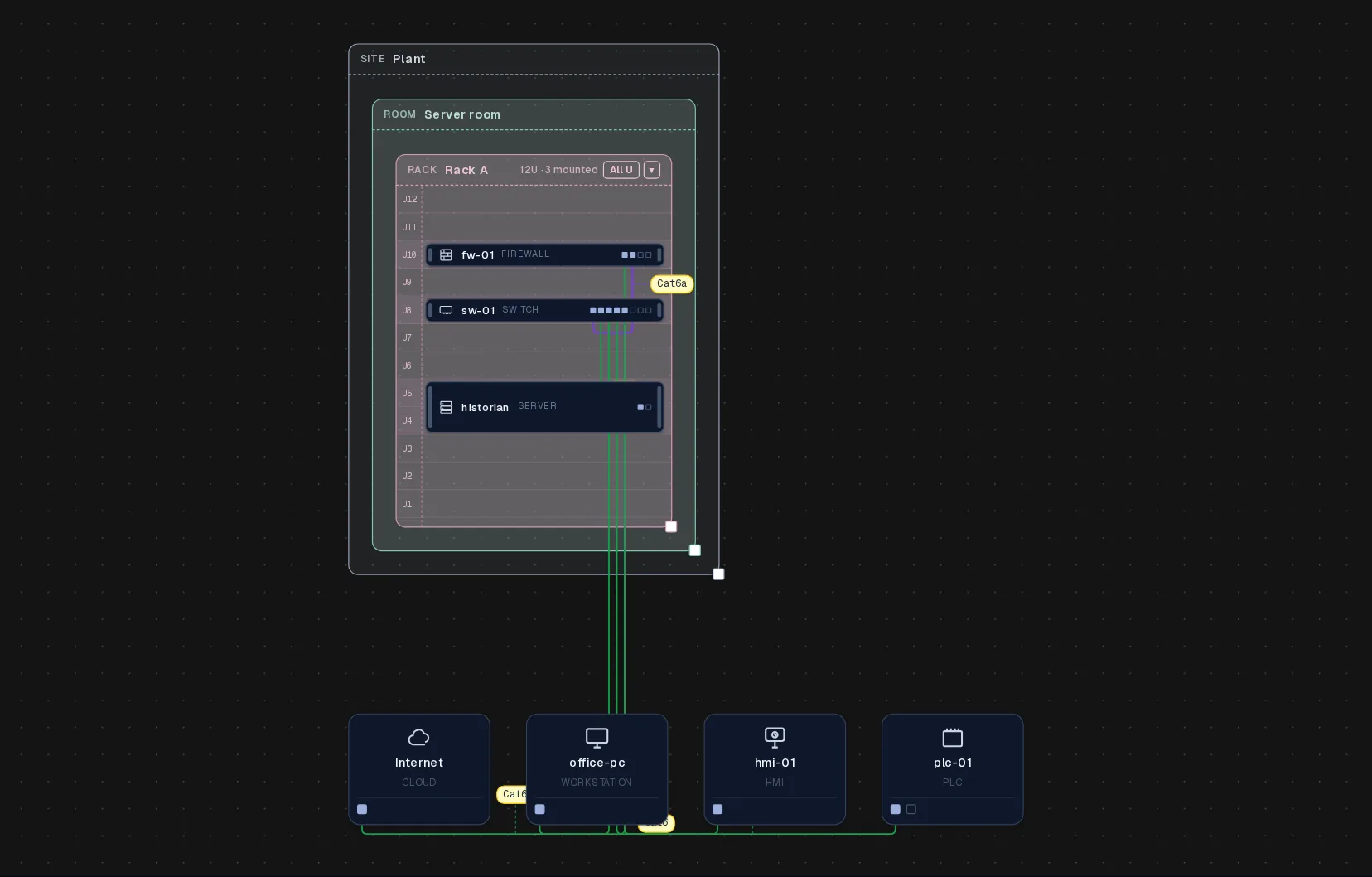
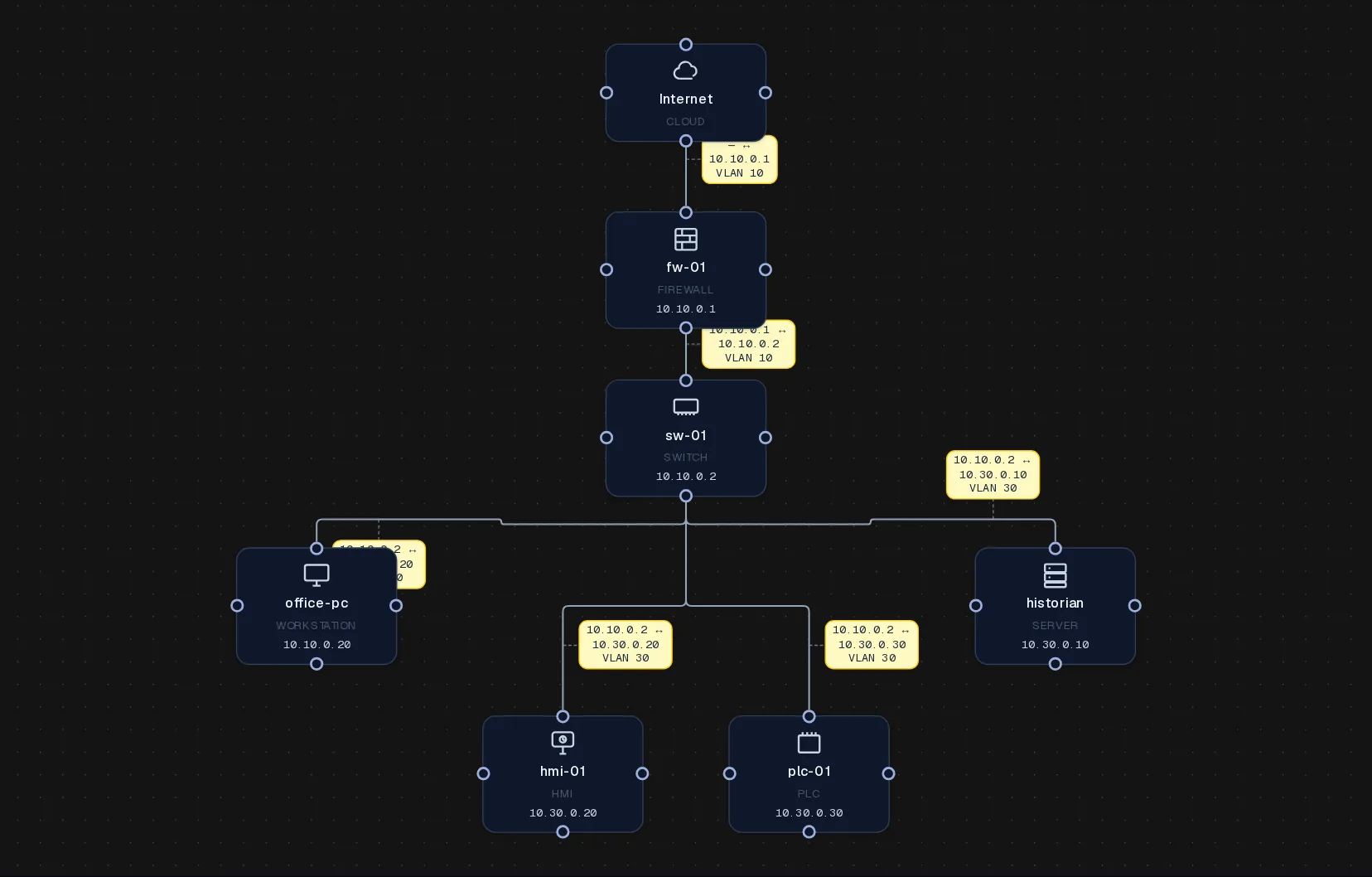
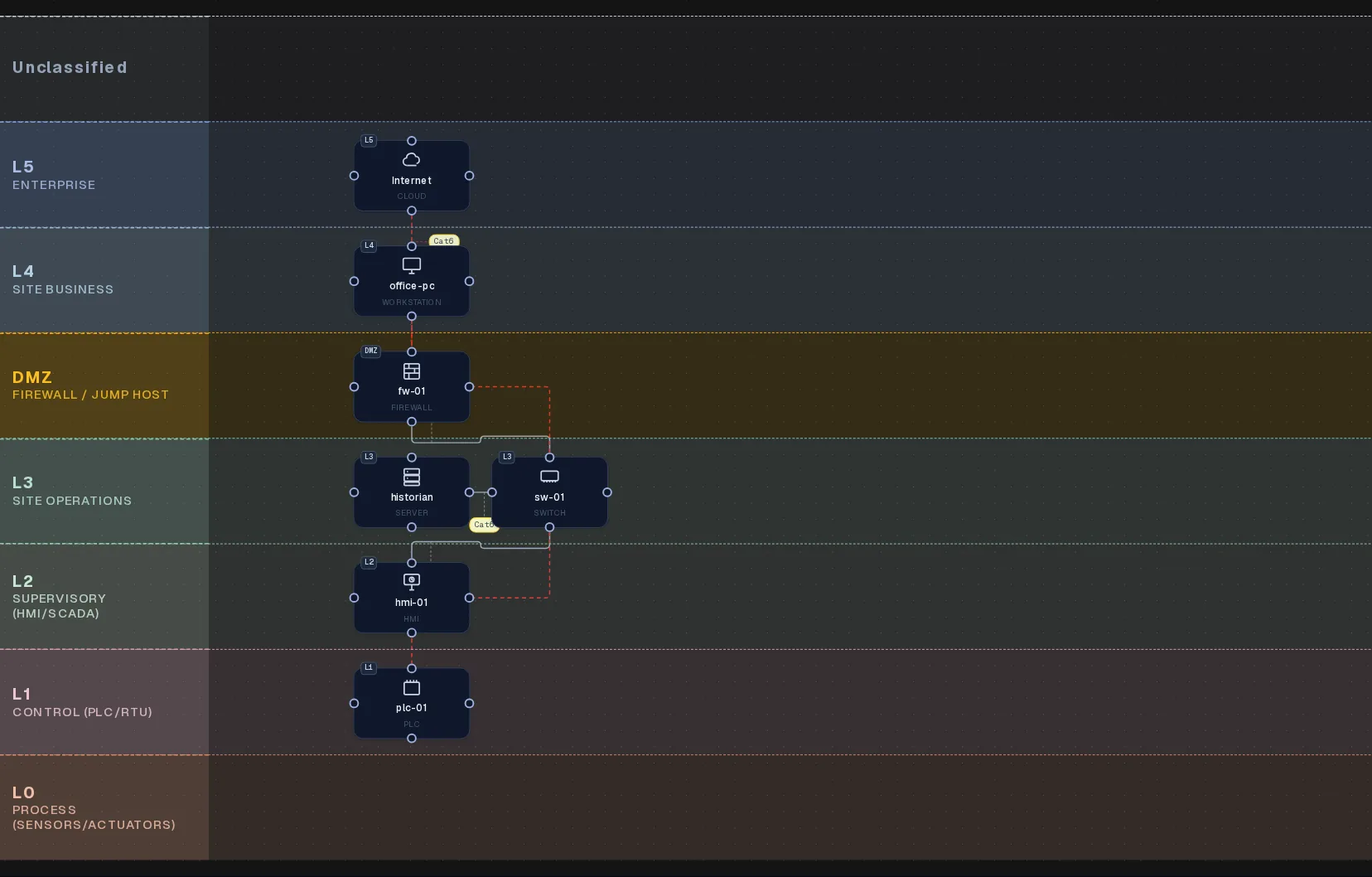
Physical view of a small office network

Physical view. Layer 1: site, room and rack boxes with the devices inside them; cables carry their type and length.

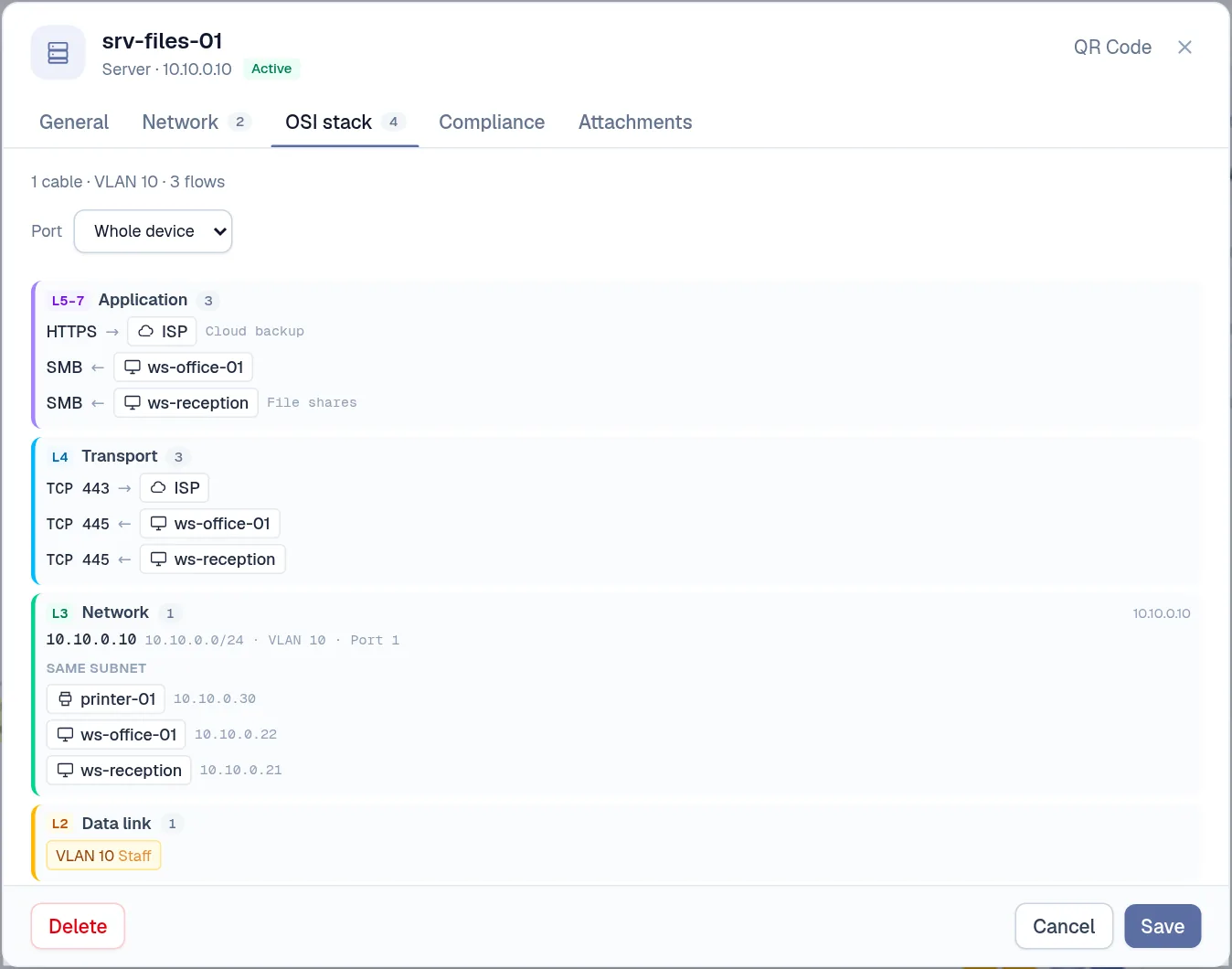
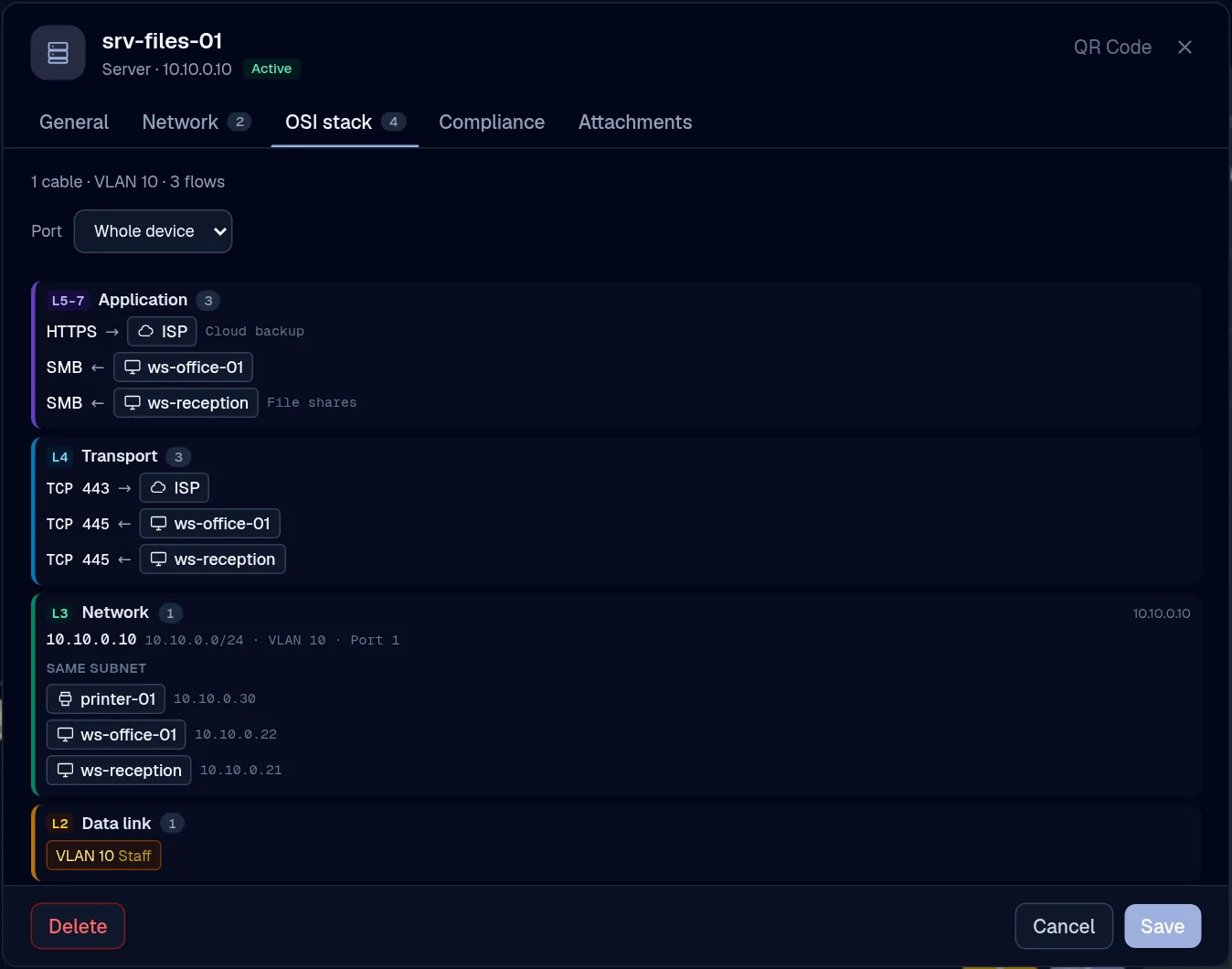
A server's device card showing its OSI stack: application flows, transport ports, network address and subnet, and VLAN

One record

Every device is a record, not a shape

A device carries its ports, addresses, VLAN, rack slot, data flows and compliance tags. Open one and read its whole OSI stack: which cable, which VLAN, which subnet, which flows.

  • Edit it once and all four views update
  • Cables, VLANs, subnets and flows on one card
  • A QR label on the rack opens the same record
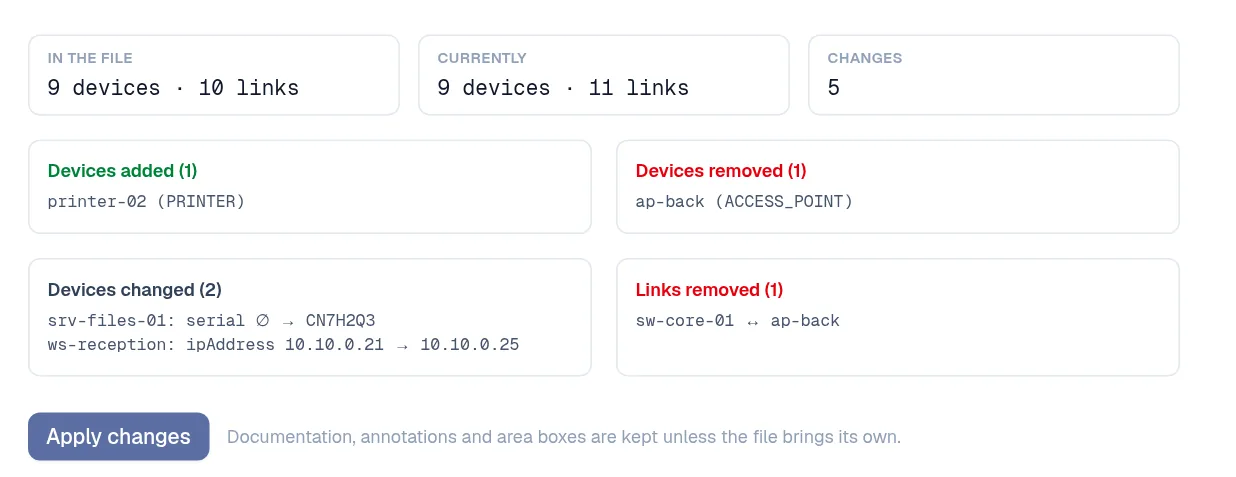
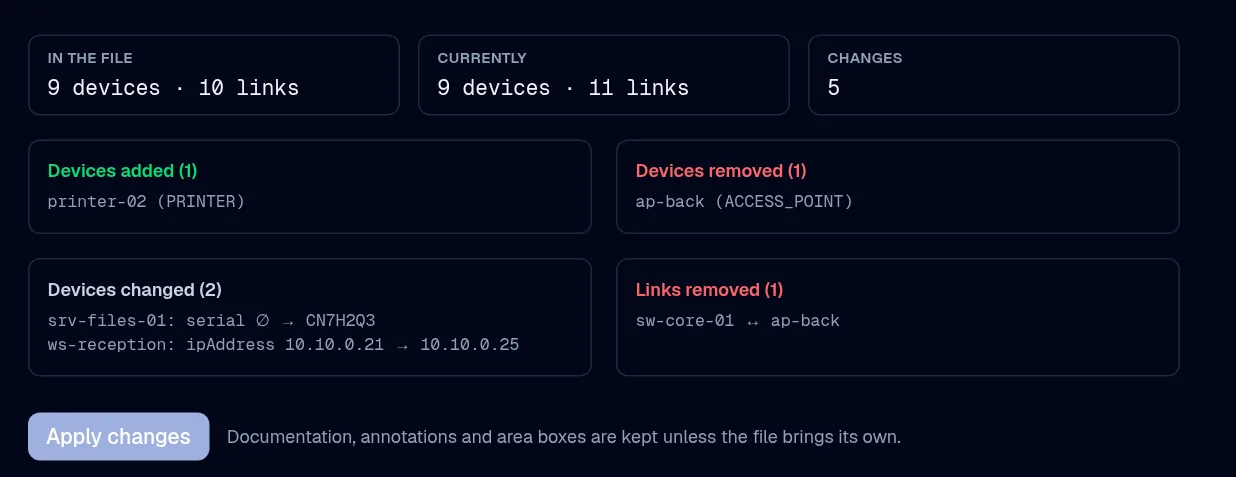
The refresh preview: one device added, one removed, two changed and one link removed, with an Apply changes button

Import and refresh

Bring in what you have. Refresh without redrawing.

Drop a draw.io or Visio file, a pfSense config, an nmap scan, an LLDP table or a NetBox export. Later, drop a newer one and review the diff before anything changes.

  • Eleven formats, detected from the content
  • Added, removed and changed, device by device
  • A version is saved first, every time
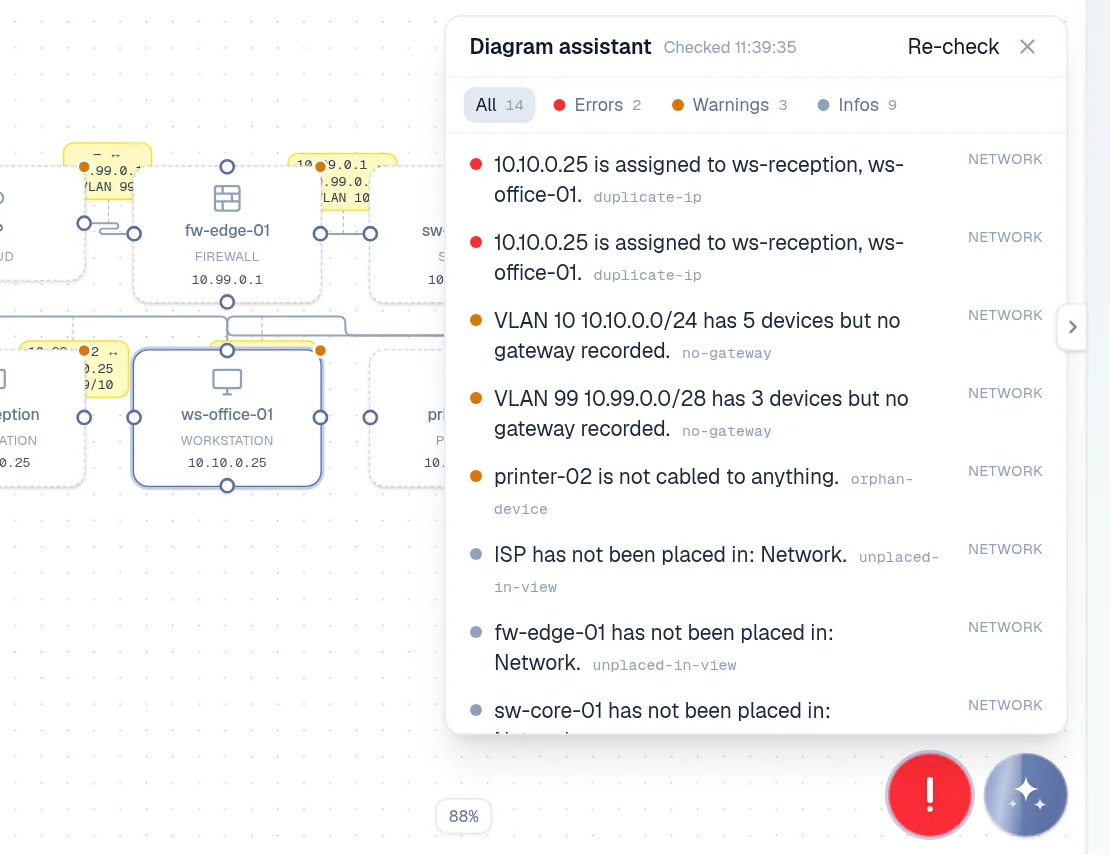
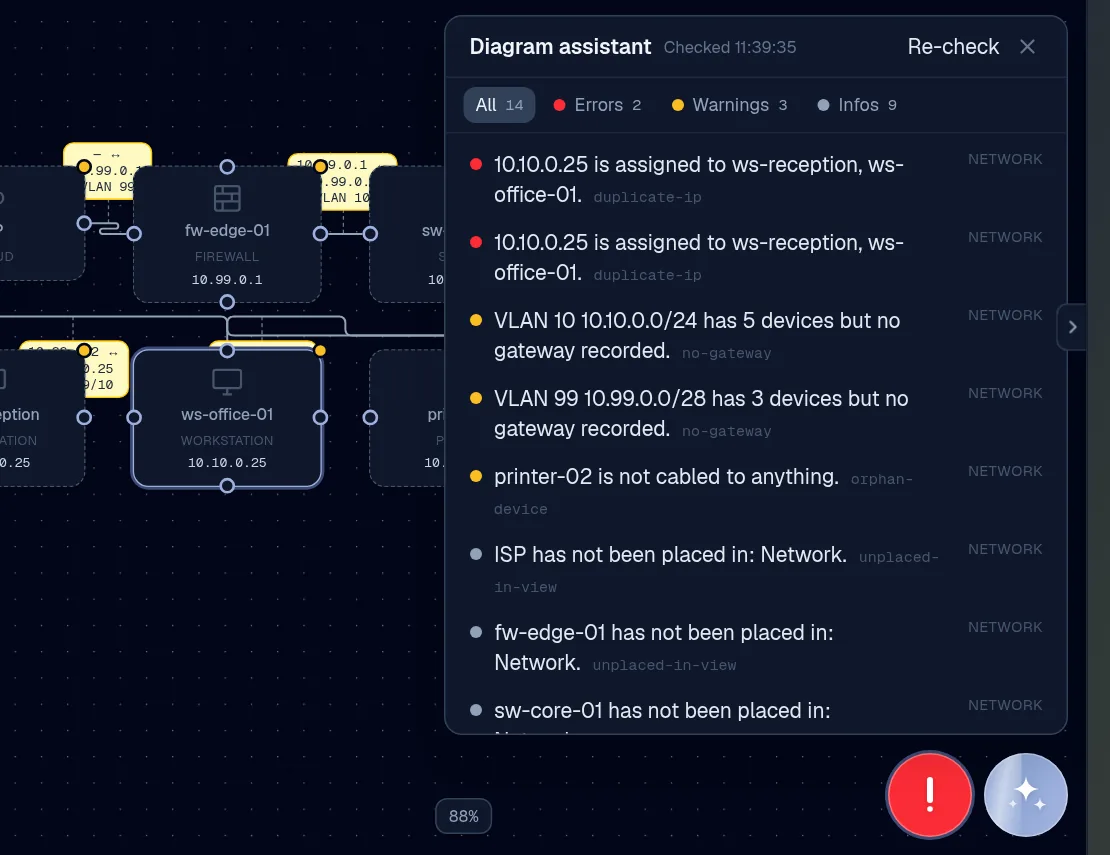
The diagram assistant panel listing a duplicate IP error, VLANs without a gateway and an uncabled printer

Diagram assistant

A linter for networks

Seventeen rules run as you work: duplicate IPs, addresses outside their subnet, orphaned devices, cables past their reach, rack overlaps, Purdue zone crossings.

  • Click a finding to jump to the device
  • Errors, warnings and notes, by view
  • The same rules through the API and MCP server
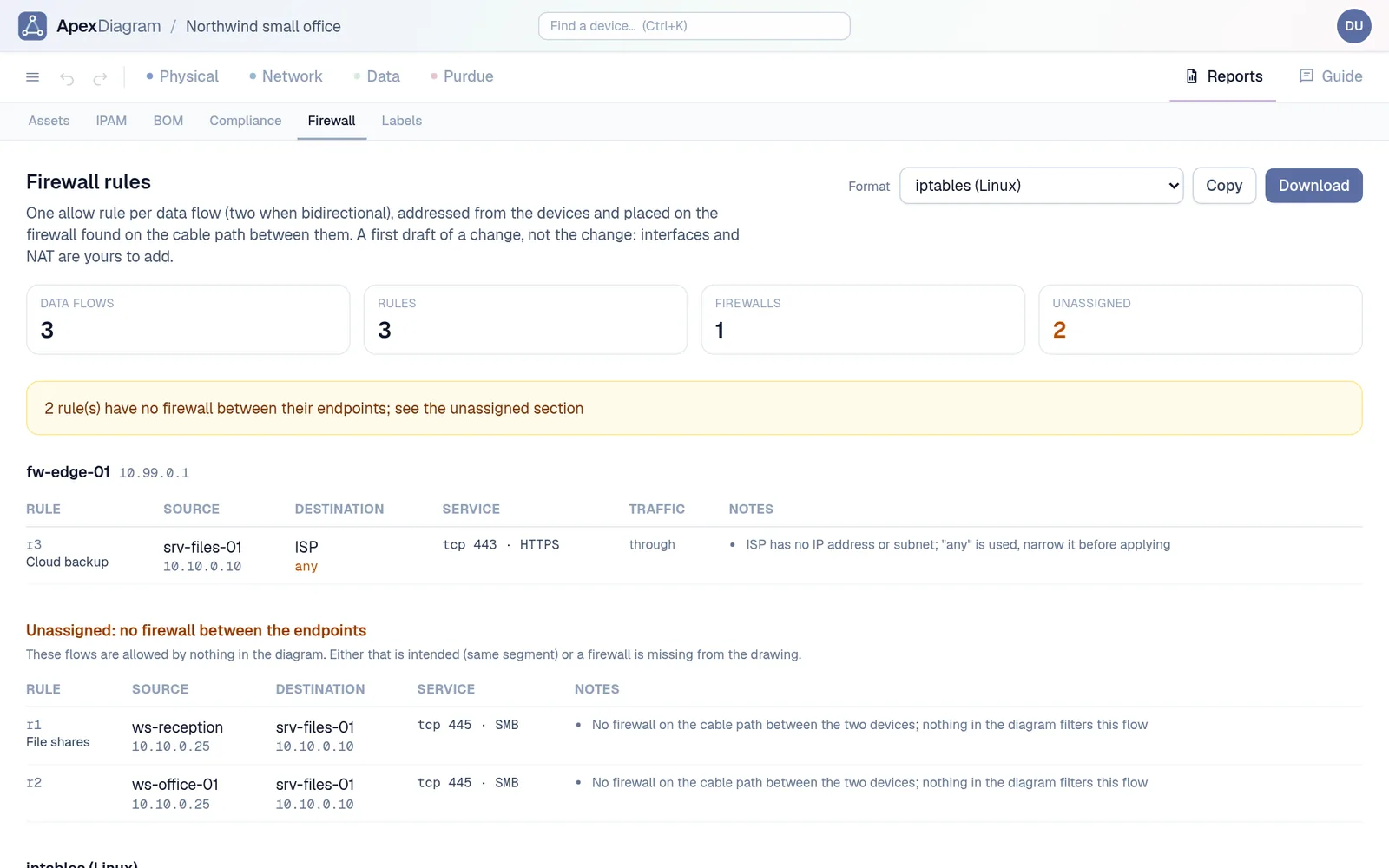
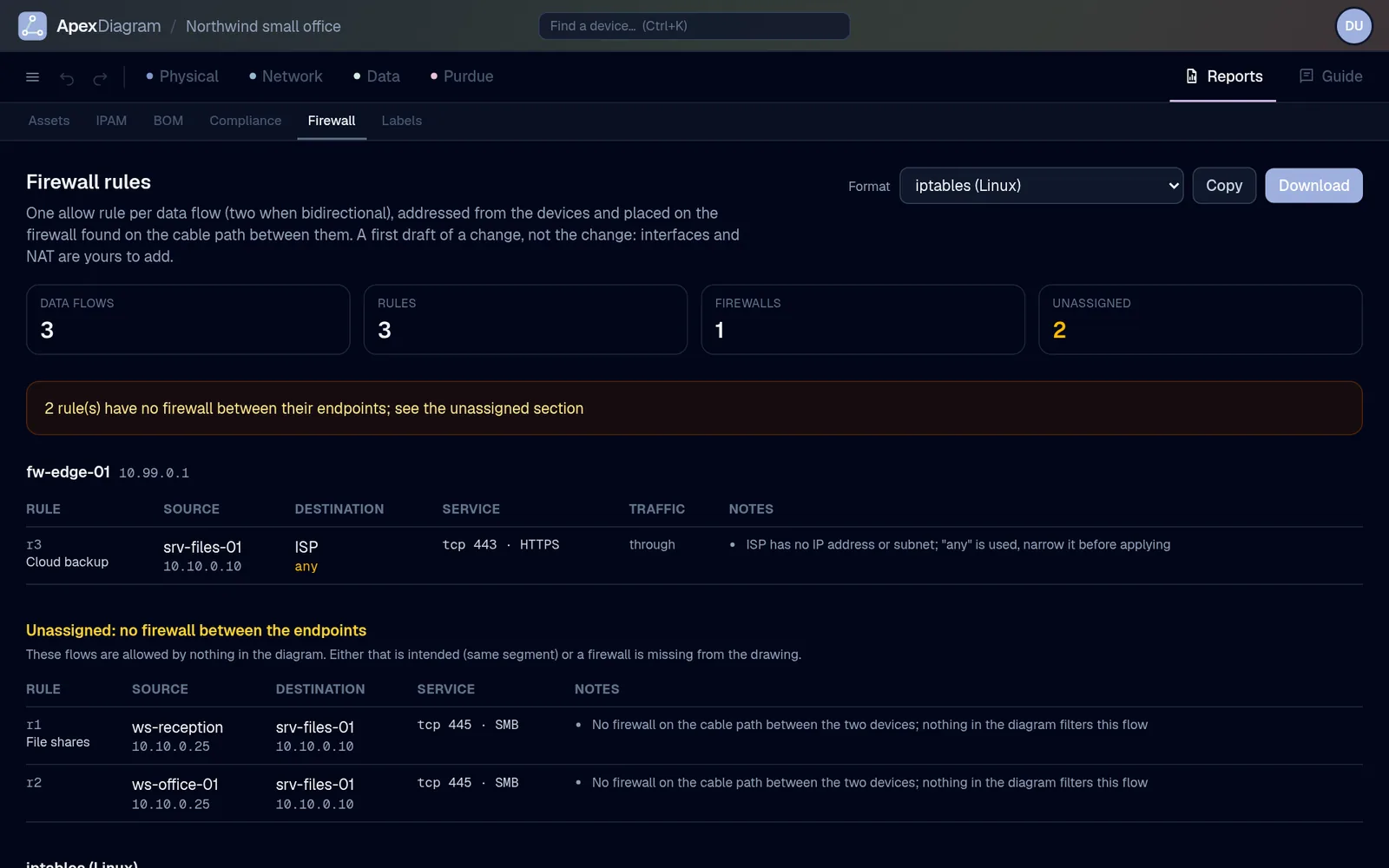
The firewall rules report: three data flows turned into allow rules, with two flagged as having no firewall between their endpoints

Data view

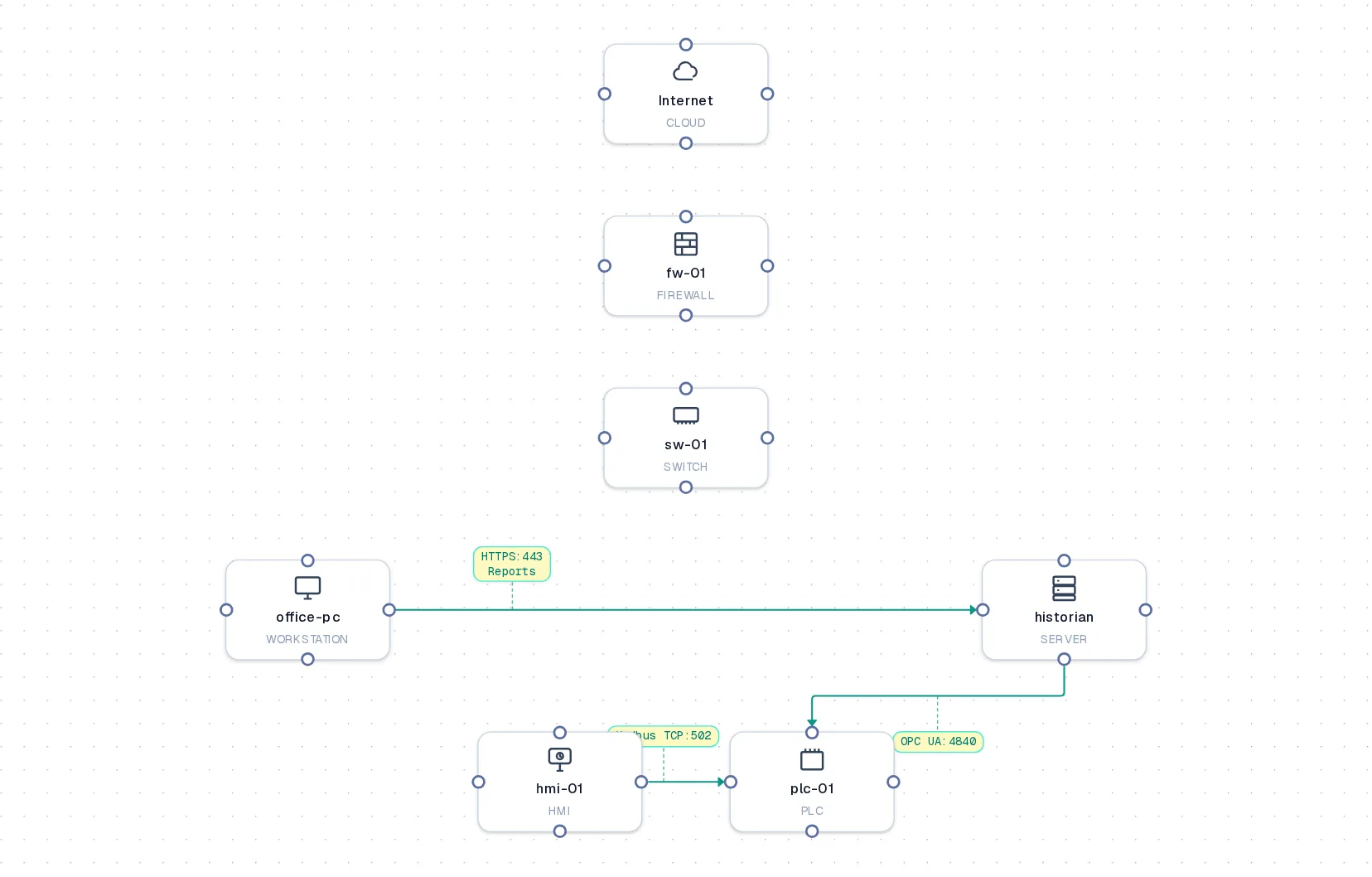
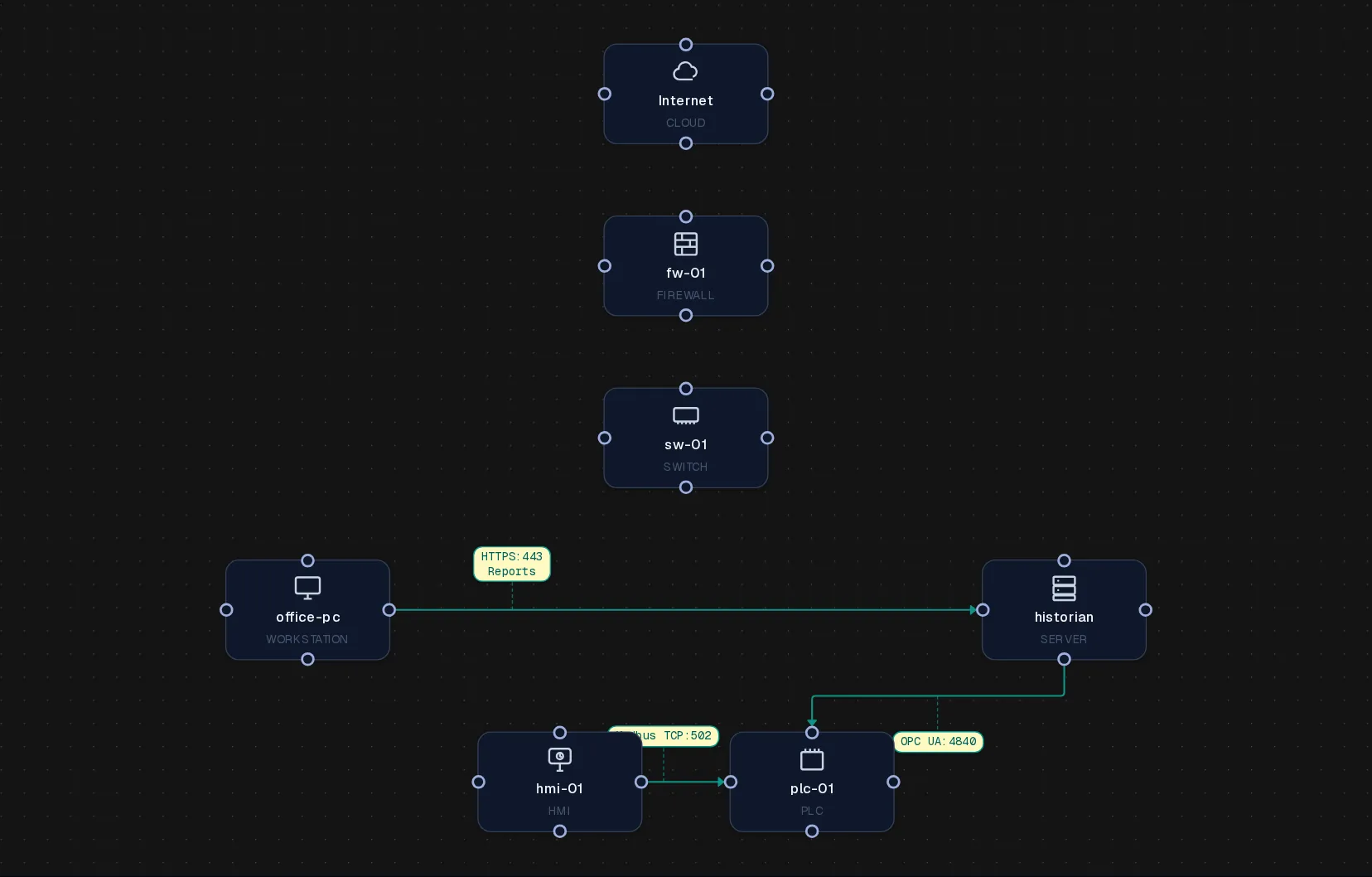
From data flows to firewall rules

Draw the flows between systems once. ApexDiagram drafts one allow rule per flow, placed on the firewall that sits on the cable path, in iptables, pf or Cisco ASA syntax.

  • Flows with no firewall between them are called out
  • Copy or download the rule set
  • The same flows feed the compliance packs
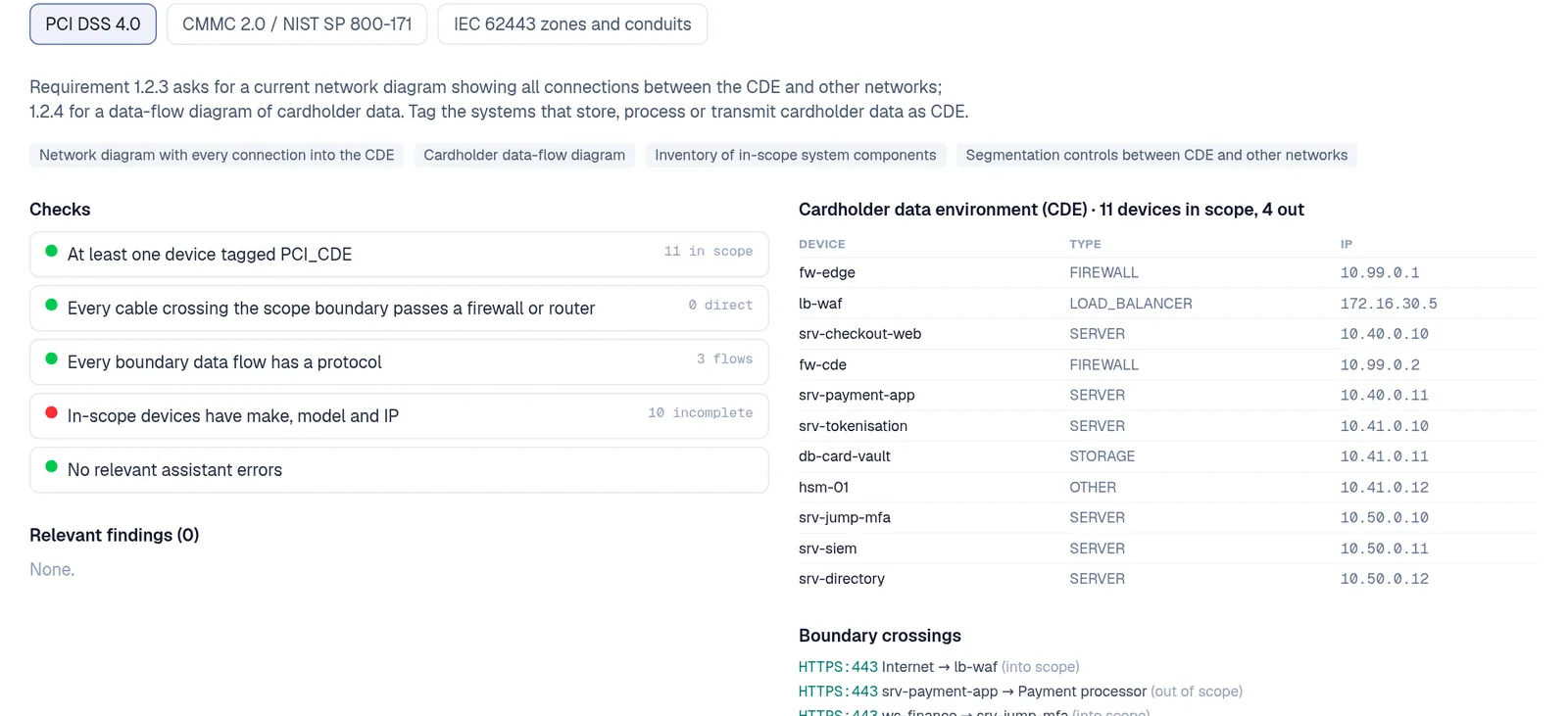
The PCI DSS 4.0 compliance pack: five checks, the in-scope inventory of eleven devices and the boundary crossings

Compliance packs

Evidence an assessor will accept

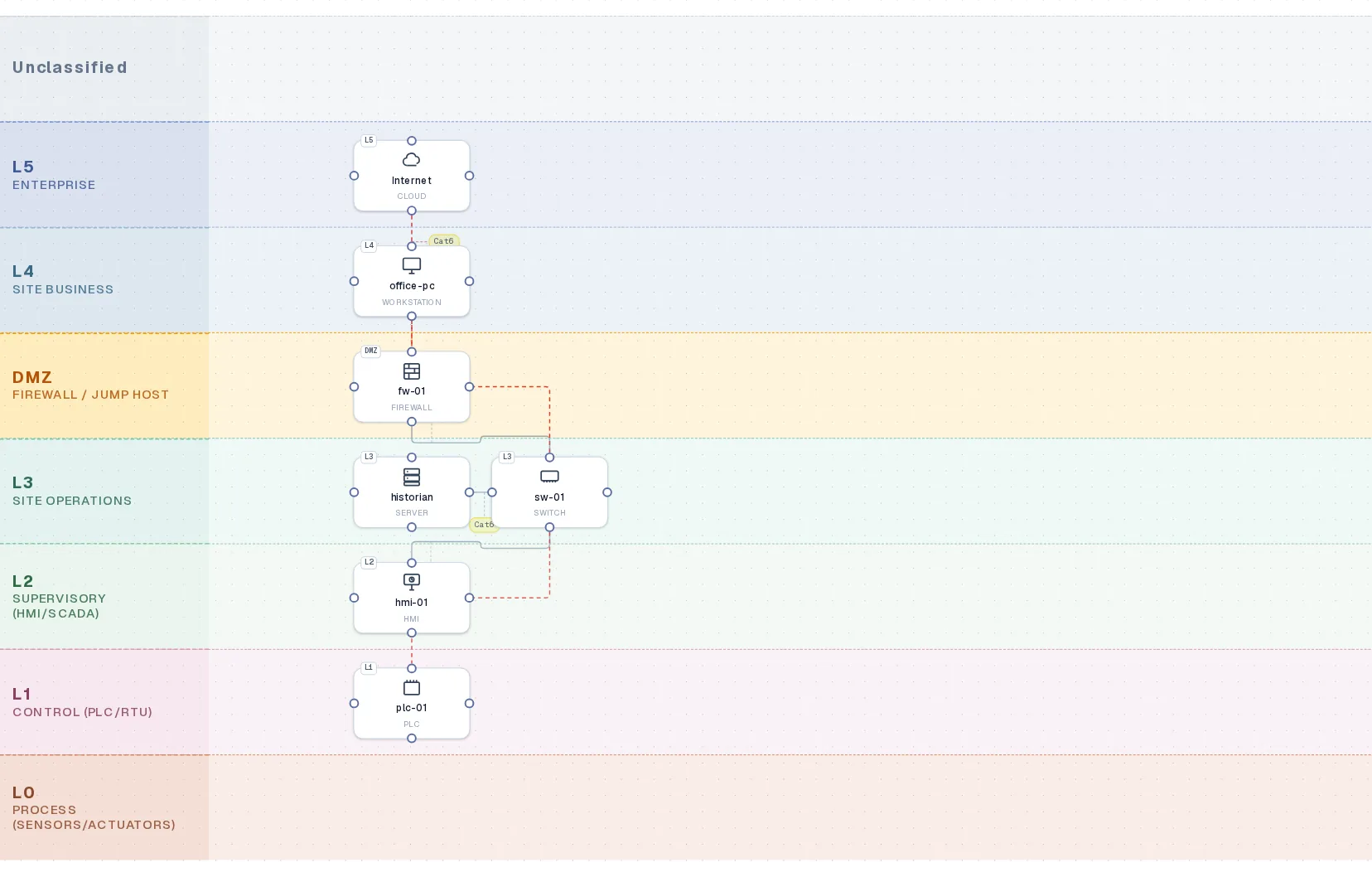
Tag devices as PCI, CUI or an IEC 62443 zone. The pack lists the in-scope inventory, every boundary crossing and the checks that pass or fail, then exports a PDF with the views it needs.

  • PCI DSS 4.0, CMMC and NIST 800-171, IEC 62443
  • Boundary crossings with no firewall are flagged
  • Bill of materials and labels from the same record
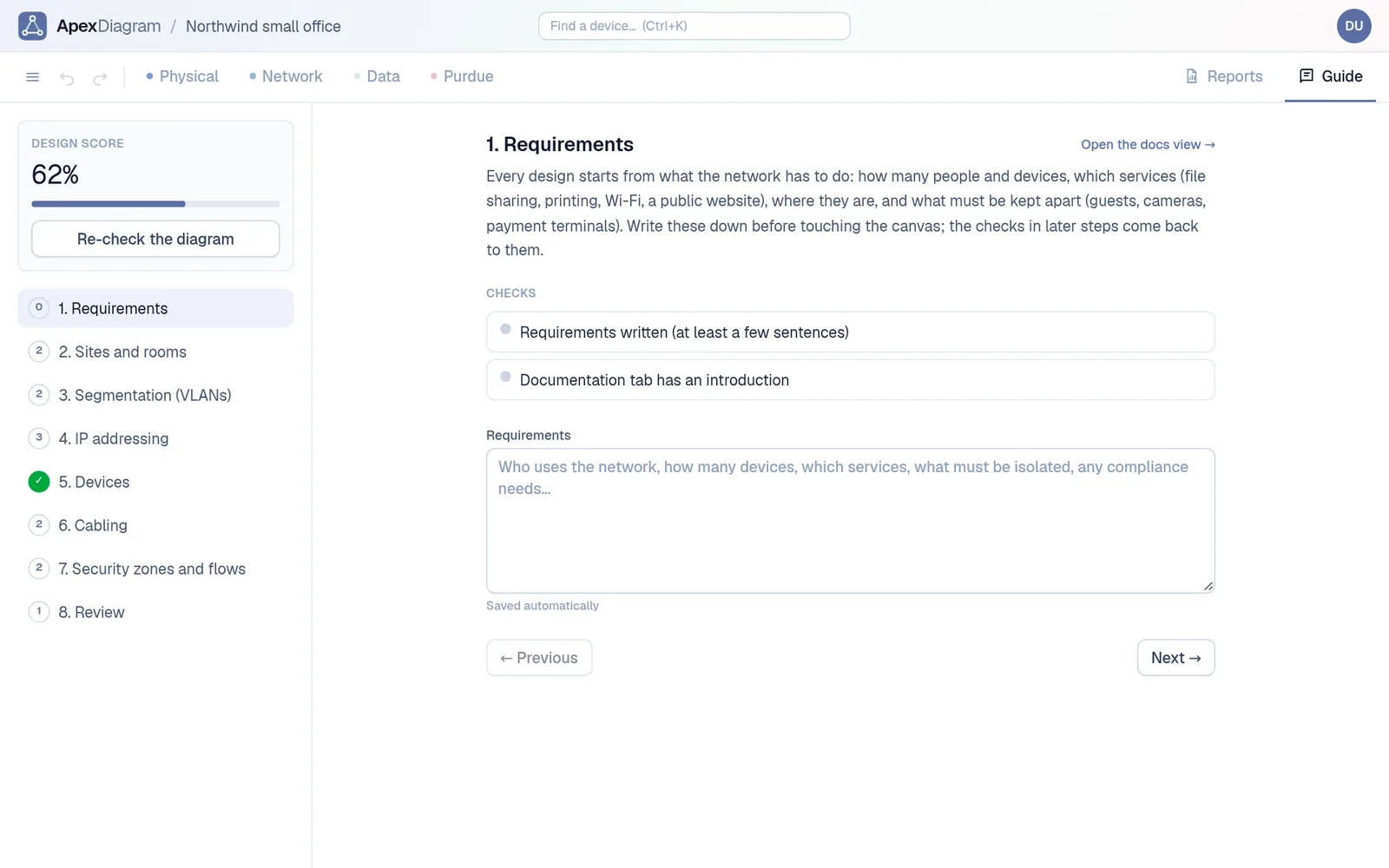
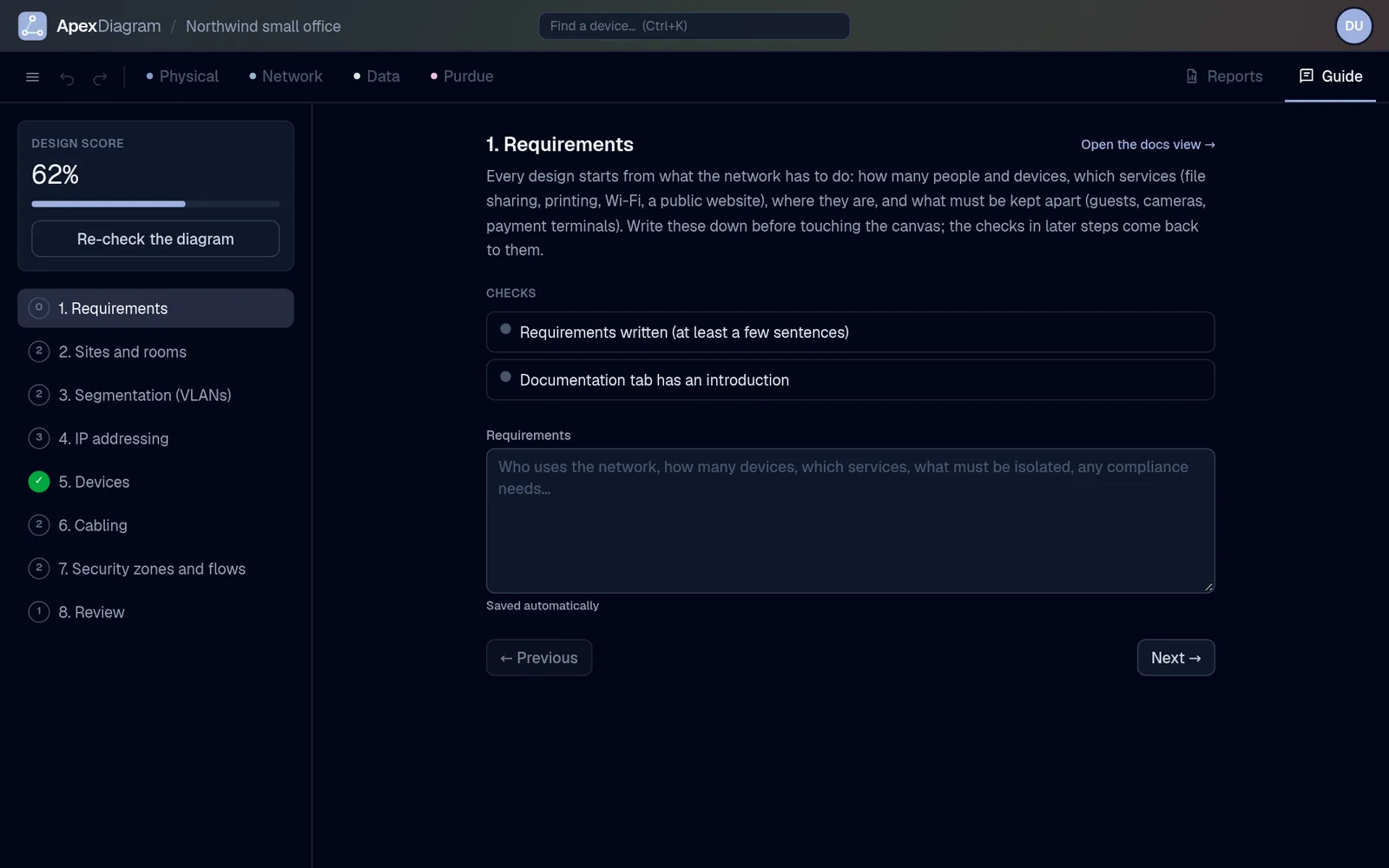
The Guide tab: a design score of 62 percent, eight steps from requirements to review, and the checks for step one

Guided mode

Design it properly, step by step

Students and first-timers get eight steps from requirements to review. Each step is checked against the live diagram and scored, so the lesson and the work are the same thing.

  • Short, vendor-neutral lessons
  • The linter is the grader
  • Export to Containerlab and boot what you drew

Pricing

Plans

ApexDiagram is in beta and the regular plans have not started. Everyone can use Free today, and for a limited time one Team licence is $100, once, for life.

Limited offer

Lifetime deal

$100once

One Team licence, for life

Pay once. One organisation on the Team plan, every feature, no renewals.

One payment of $100 through Stripe, taxes added at checkout; no account needed to buy, the licence comes by email. One organisation per deal; the licence cannot be transferred. Full refund within 30 days. Lifetime means for as long as ApexDiagram is offered, with no further charge for the Team plan.

  • ✓Every Team feature for your whole organisation: unlimited diagrams and members, change approval, audit export
  • ✓Everything added to Team later, included
  • ✓Own database for your organisation, organisation-wide MFA, read-write API and MCP
  • ✓Your diagrams stay yours and export as JSON, YAML or draw.io at any time

Students

Student: $0

with a verified school, college or university email. Renewed yearly, no card.

Sign up with your school email

Sign up with the address your school, college or university gave you (.edu, .ac.uk, .edu.au and most national forms), click the link we send, and the plan is on. Renew each year the same way. Address not recognised? Write to info@apexdiagram.com.

  • ✓Everything in Free, unlimited diagrams
  • ✓Up to five members for group projects
  • ✓Change approval and audit export
  • ✓Password-protected, permanent share links
  • ✓Read-write API and MCP, 100 AI runs a month

What is in Free, and what needs Team

Drawing, importing and checking a network is free for everyone. Team is for the moment a second person, a customer or an auditor appears.

FeatureFreeStudentTeamMSP
Drawing and importing
Four views, editor, annotations, symbolsThe product itself is never gated.FullFullFullFull
Templates and guided design modeStudents and first-timers are the funnel.FullFullFullFull
Every importer: draw.io, Visio, CSV, pfSense, nmap, LLDP, UniFi, Meraki, NetBox fileImport is the hook; a gated import is a bounce.FullFullFullFull
NetBox live pull and scheduled refreshAutomation is a business need.File import onlyFullFullFull
Linter, bill of materials, IPAM, labels, cable trace, presentation modeTrust features spread the product.FullFullFullFull
AI architectEnough to be amazed, not enough to run a practice on.20 runs a month100 runs a month500 a month, then metered500 per organisation, then metered
Scale
DiagramsThe first natural limit a serious user hits.5UnlimitedUnlimitedUnlimited
MembersCollaboration is the paywall.15, for group projectsUnlimited editors, viewers freeUnlimited
OrganisationsThe MSP product.111Unlimited, switchable
AttachmentsStorage costs money.100 MB1 GB10 GB50 GB
Version historyRetention is a business need.Last 10 versionsUnlimitedUnlimitedUnlimited
Sharing and governance
Share linksA taste of sharing, not a substitute for a seat.3 active, 30-day expiryUnlimited, passwords, never-expireUnlimited, passwords, never-expireUnlimited
Change approval workflowGovernance is multi-user by definition.Team and upFullFullFull
Audit trailAuditors pay.30 days, on screenFull retention, export, integrity verifyFull retention, export, SIEM forwarding, integrity verifySame as Team
Compliance packs and audit PDFThe PDF is what goes to the auditor.Preview, PDF watermarkedPreview, PDF watermarkedFullFull
Exports: PNG, SVG, PDF, JSON, YAML, ContainerlabThe mark is free marketing; removing it is a reason to pay.Images carry a small markImages carry a small markNo markNo mark
Security and integration
MFA and session controlsPersonal security is never gated.FullPlus organisation-wide MFA requirementPlus organisation-wide MFA requirementPlus organisation-wide MFA requirement
API keysIntegrations are a business need.1, read-only3, read-writeUnlimited, read-write, IP allowlists, expiryPer client
MCP server for AI assistantsSame rule as the API.Read-onlyFullFullFull
Dedicated database and customer-managed keysThe security tier.Team and upTeam and upFullPer client
SupportCommunityCommunityEmailPriority
  • Show, then gate.Every Team feature is visible in Free with its real controls. The action that needs the plan explains why and shows the price, nothing is hidden in a menu.
  • Nothing is lost on downgrade.Over-limit diagrams become read-only, extra members become viewers, old versions are kept but hidden. Nothing is deleted.
  • Try Team for 14 days.Start a trial from Settings without a card. At the end the organisation returns to Free limits and stays readable.

Prices for the regular plans will be announced before billing starts. Students: free with a verified school, college or university email. Educators and non-profits: 50 percent off Team on request.

Stay in touch

Not ready to join?

Sign up for updates and be the first to know when we launch.