Seventeen network mistakes a drawing tool will never catch
· 2 min read
Duplicate IPs, cables past their reach, rack overlaps, Purdue zone crossings and more: what ApexDiagram's diagram assistant checks, and why a picture cannot.
A drawing tool cannot be wrong, because it does not know what you drew. A rectangle labelled "core switch" is just a rectangle. ApexDiagram stores every device, port, cable, VLAN and rack slot as data, so it can check them. The checks run continuously, and the Problems button shows the count by severity.
Here is what it catches, grouped by the mistake behind it.
Addressing mistakes
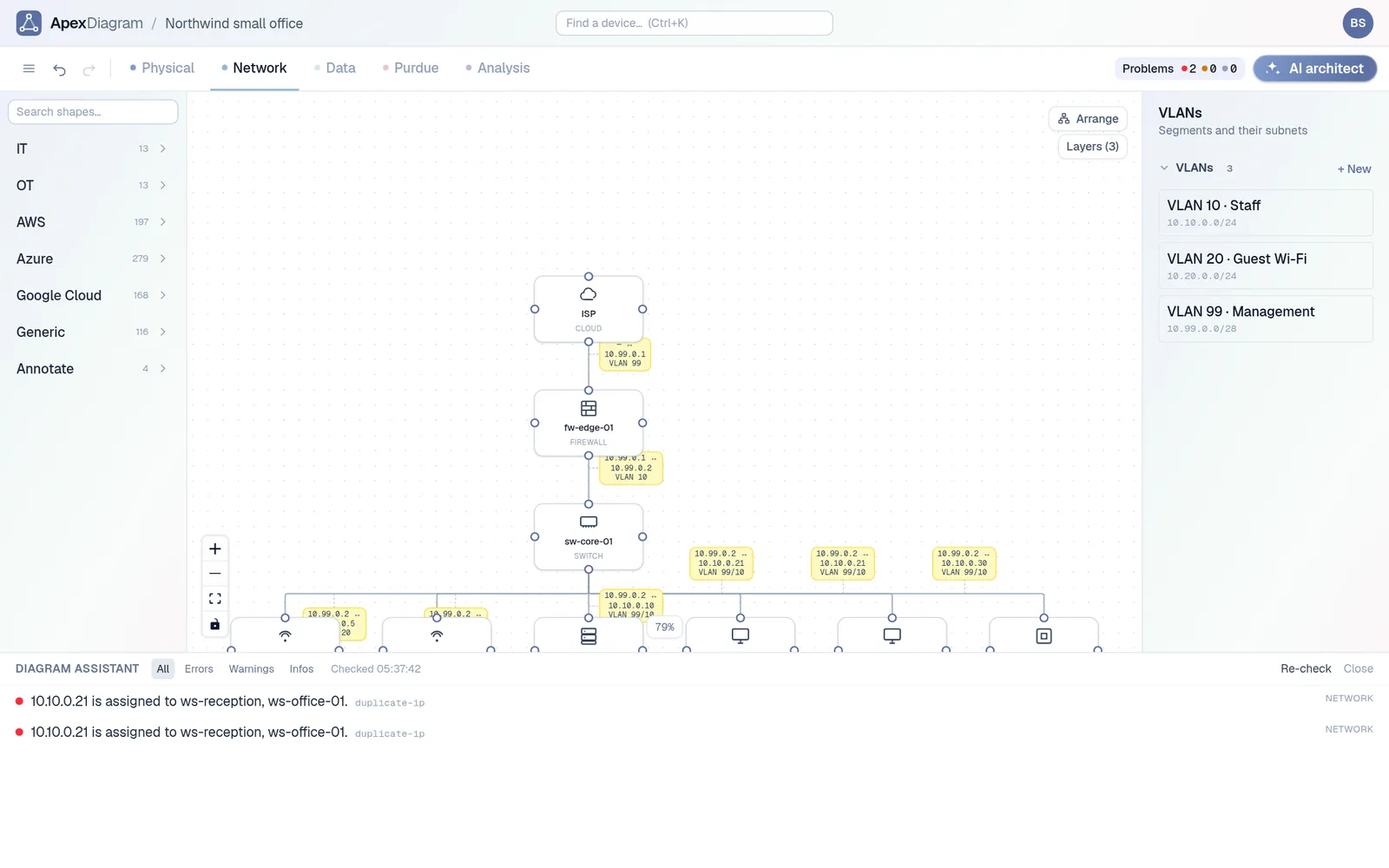
- Duplicate IP. Two active devices share an IPv4 address.
- Invalid IP. A port address is not a valid dotted quad.
- IP outside its subnet. The address is not inside the CIDR of the subnet it is assigned to.
- No IP. A router, switch, server or PLC has no address on any port.
- VLAN mismatch. A cable joins two end hosts on different VLANs with no logical connection declared on it.
Cabling mistakes
- Cable too long. A run exceeds what its type allows: 100 metres for Cat5e, Cat6 and Cat6a, 550 metres for multi-mode fibre, 10 kilometres for single-mode.
- Channel too long. A path from a device through one or more patch panels to another device adds up to more than the tightest limit on the way, even if each segment is fine on its own.
- Orphan device. A device has no cable at all.
- Self link. A cable starts and ends on the same device.
Rack mistakes
- Rack overlap. Two devices claim the same rack unit.
- Rack overflow. A device's starting unit plus its height runs past the top of the rack.
OT and zoning mistakes
- Purdue zone crossing. A cable joins devices more than one Purdue level apart, and neither end is a firewall or in the DMZ.
- Unclassified device. Other devices have a Purdue level and this one does not.
Record-keeping mistakes
- Duplicate name. Two devices share a name, ignoring case.
- Missing make and model on a router, switch, firewall, load balancer or server.
- Planned device in the production path. An active device's only neighbours are all still planned.
- Unplaced in a view. A device appears in some views and not others.
The diagram assistant reporting a duplicate IP
From finding to fix
Click a finding and the right view opens with the device or cable selected. Fix it and the finding disappears on the next check. Undo and redo re-run the checks too.
The same rules are available through the REST API and the MCP server, so a script or an AI assistant can run them before proposing a change. They are also the grader in Guided mode and the input to the compliance packs.
See what your diagram is hiding
Import your current draw.io or Visio file and open the Problems panel. Most real diagrams have at least one duplicate name or missing address. See plans and pricing.
Document your network once, keep it current
One network graph, four synchronized views, a linter and a bill of materials. Import the Visio or draw.io file you already have.
Join the beta